
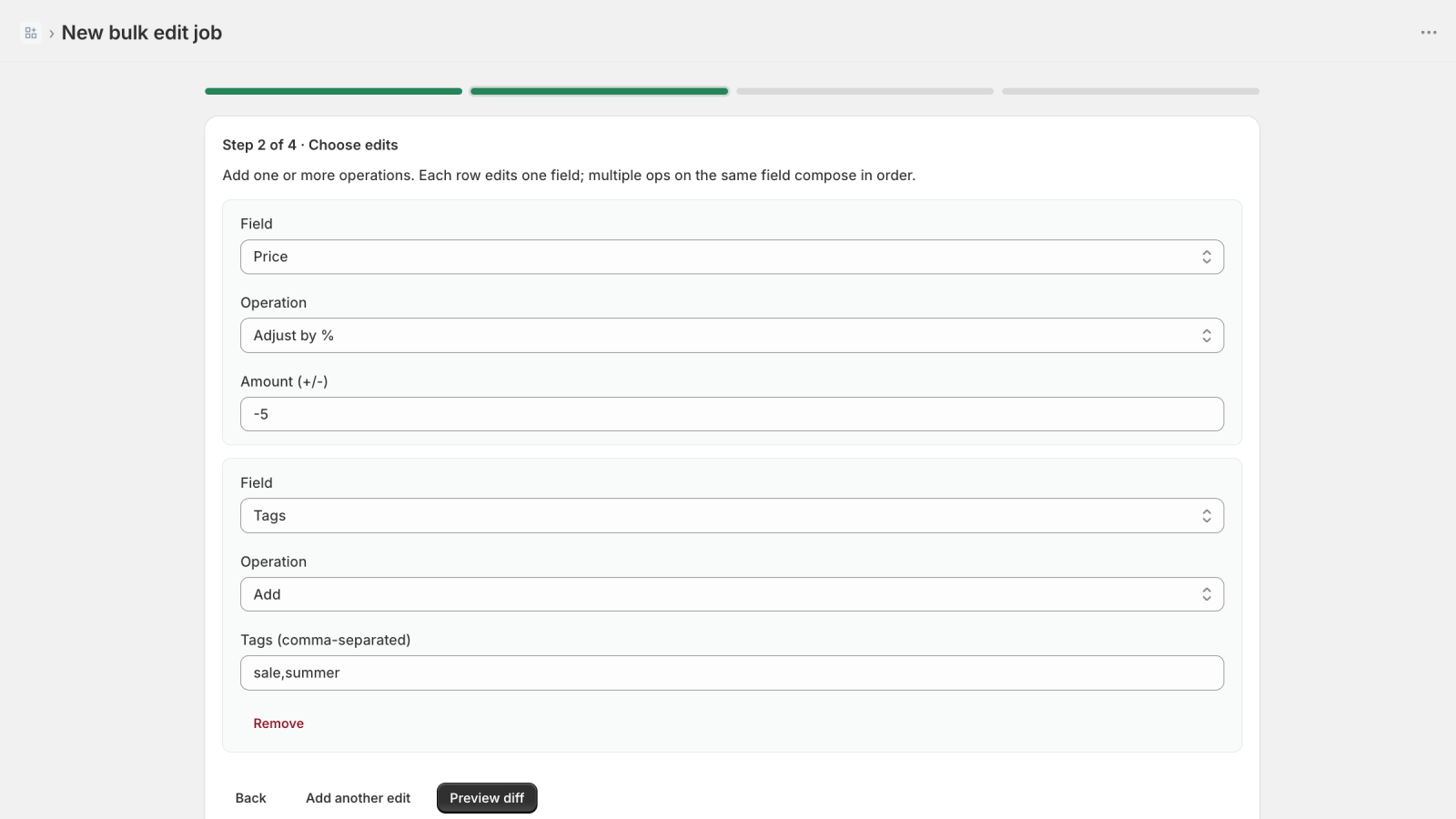
1 Step 1
Build the job
Filter by tag, vendor, type, status, title, or price range, then set the edit: price and compare-at, tags, status, vendor, product type, inventory policy, or SEO fields.
A Shopify bulk product editor built around undo: preview the diff, snapshot before every job, and roll back in one click.
Opens the Shopify App Store listing.
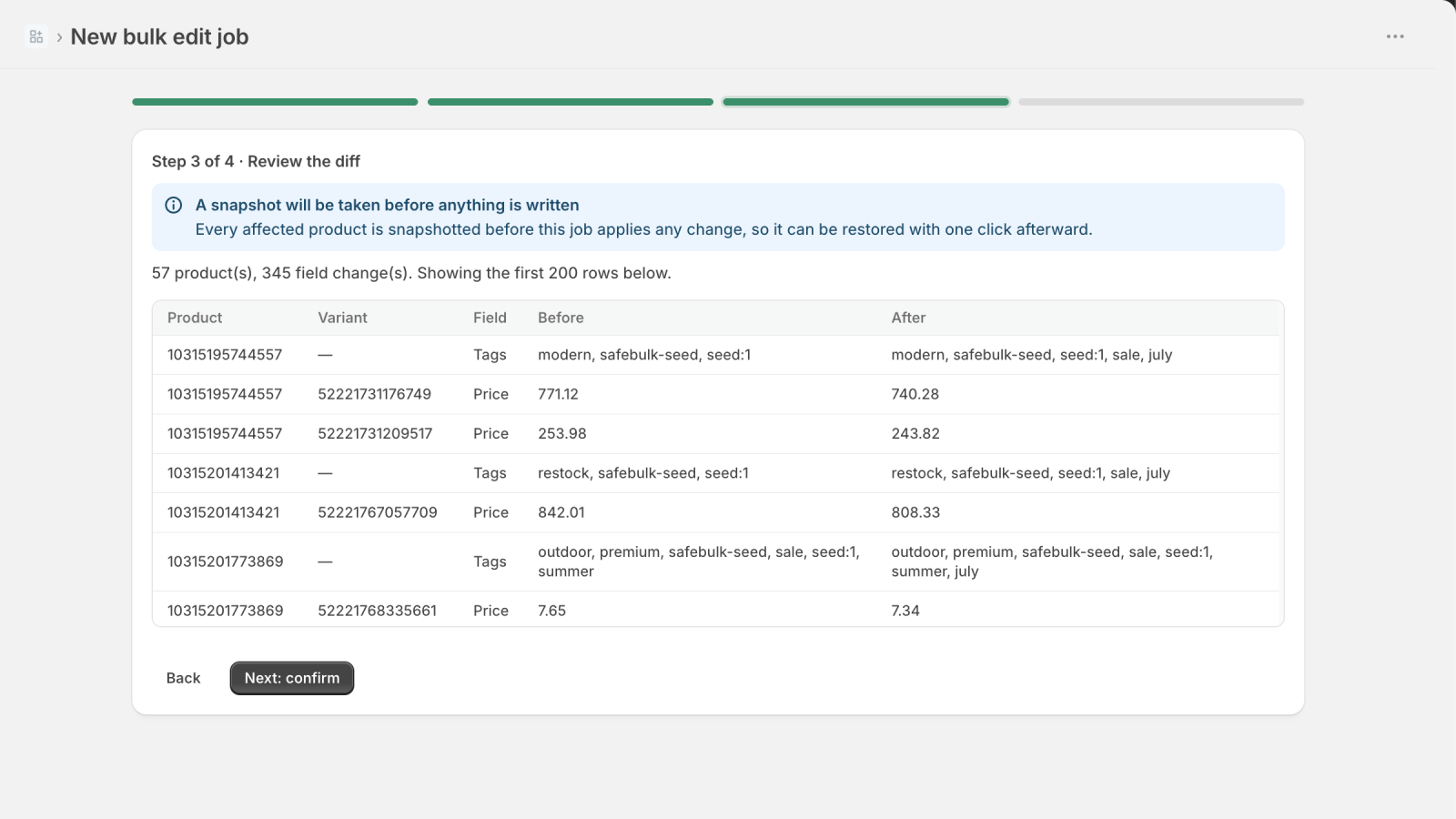
Three steps, and the safety net is on from the first one to the last.
Filter by tag, vendor, type, status, title, or price range, then set the edit: price and compare-at, tags, status, vendor, product type, inventory policy, or SEO fields.
Every job shows an exact before and after for each product and variant it will touch. Nothing is applied blind, and you approve the change before it runs.
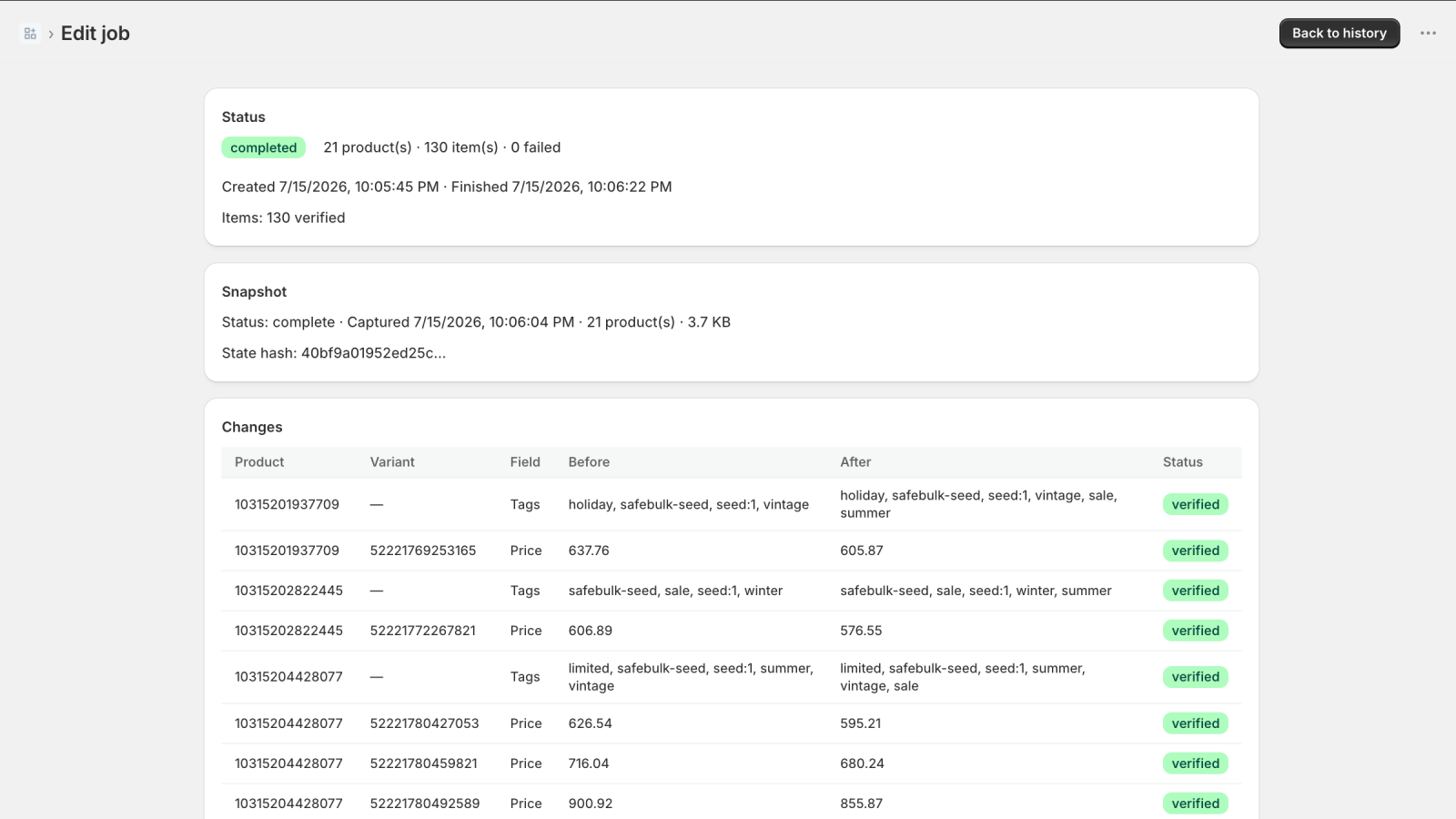
After a job runs, SafeBulk re-reads every row and marks it verified. If anything looks wrong, roll the whole job back with one click.
Most bulk editors can change thousands of products in seconds. SafeBulk is built so you can walk any of it back.
See the exact before/after for every product and variant a job will touch. Nothing is applied blind.
Before a job runs, SafeBulk captures a full snapshot of every entity it is about to change, automatically, every time, on every plan.
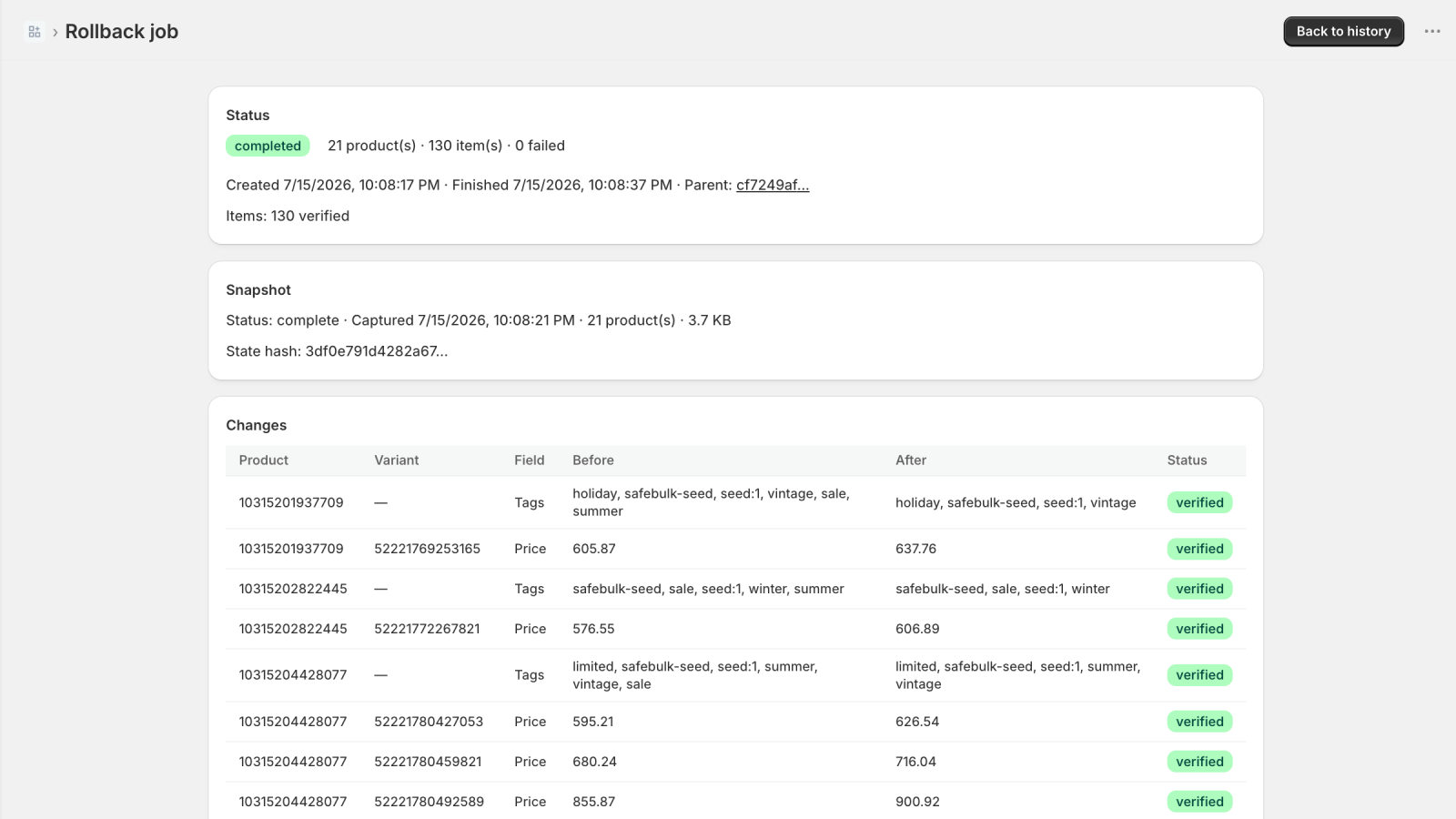
Roll a job back with one click. SafeBulk shows you an honest "what can and cannot be restored" report before you confirm, then re-reads every row afterward to verify the edit landed.
The most-resented thing in this category is the meter. SafeBulk does not have one.
For small, occasional bulk edits with the full safety net.
For stores that run bulk edits often and want no ceilings.
Yes. Before a job runs, SafeBulk snapshots every product and variant it is about to touch. One click rolls the job back to that snapshot. This is included on the free plan, not paywalled.
SafeBulk reverses edits that SafeBulk made. It cannot restore products or variants you deleted through Shopify itself, or changes made by other apps: those never pass through our snapshot. We show you exactly what can and cannot be restored before you confirm a rollback.
Flat pricing. A free plan that includes full undo, and a Pro plan at $19/month with unlimited products per job. No per-task, per-row, or per-month meters.
Every change before it happens: each product and variant the job will touch, field by field, old value next to new value. Nothing is applied until you have seen the exact rows.
Only your products. SafeBulk requests read and write access to products and nothing else: no customer data, no orders, no protected scopes. Snapshots contain only the product fields a job touches, and deleting the app deletes them.
Free plan includes full undo. Pro is a flat $19/mo with no per-task or per-row meters.
Opens the Shopify App Store listing.